
Spider Solitaire Classic
Game Maker Ltd.Card
4.72.18K Reviews
- Version
- 1.8.102
- Installs
- 10.00M
- Age Rating
- Everyone
Screenshots
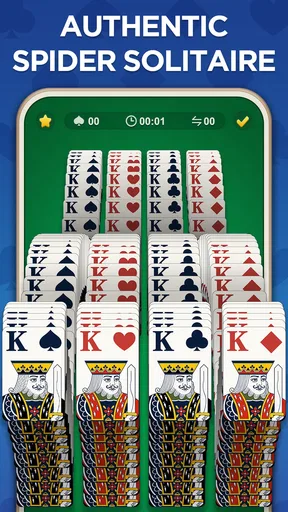
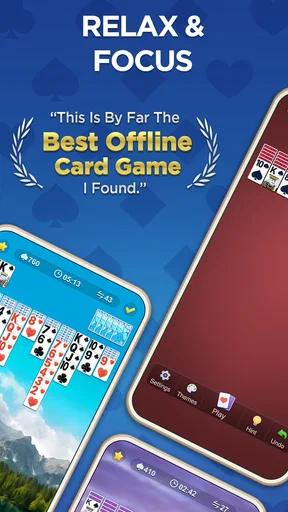
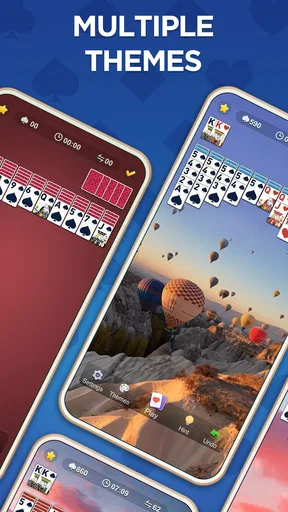
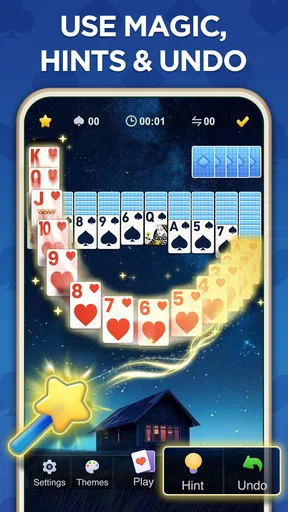
Our Review of Spider Solitaire Classic
 Analysis by Appyee
I spent time with Spider Solitaire Classic as a straightforward card game for short breaks, and its appeal became clear very quickly: it gives me a familiar puzzle without asking me to learn a complicated system first. The basic idea is easy to recognize, but arranging cards in descending sequences still creates enough tension to keep each deal interesting. It feels best suited to quiet, focused sessions rather than dramatic, competitive play.
This is a free game from Game Maker Ltd. in the card category, available for everyone and designed for devices running Android 6.0 or later. It has reached over 10 million installs and holds a 4.7 average from around 25 thousand ratings, which suggests that its simple approach has found a large audience. I can understand why: it is the kind of game I can open while waiting for an appointment, play for a few minutes, and close without losing track of a larger campaign or unfinished story.
How the current version feels in everyday use
The current version is 1.7.2, and the overall experience is built around the classic Spider Solitaire format rather than trying to turn the game into something unrelated. I found the strongest part of the design to be its low barrier to entry. If you already know solitaire, you can begin almost immediately. If you do not, the rules are still approachable because the objective develops naturally as you move cards and uncover hidden possibilities.
That simplicity is useful, but it also sets a high standard. A card game with a familiar format has nowhere to hide behind elaborate content. The quality depends on whether the controls feel comfortable, whether cards are easy to read, and whether the game lets me think without creating unnecessary friction. In my sessions, the main value came from the rhythm of examining the tableau, spotting a useful sequence, and deciding whether to make a safe move or open a more difficult column.
For me, the best use case is a short mental reset. I might play one deal after finishing a task, during a commute when I am seated, or before bed when I want something more engaging than scrolling. The game does not demand the sustained attention of a strategy title, yet it is more active than simply watching a video. That middle ground is where it works particularly well.
It is also a reasonable choice for players who want a classic card experience without paying an upfront purchase price. The game is free to download, while optional in-app purchases range from $0.99 to $9.99 per item. That makes it easy to try, although anyone who dislikes monetized free games should pay attention to how optional purchases fit into their own habits before settling on it as a regular pastime.
The small decisions that make each deal worthwhile
Spider Solitaire looks calm, but careless moves can close off useful routes. One practical habit I developed was to avoid completing a sequence simply because the move was available. Sometimes leaving cards arranged in a partial run gives me more flexibility, especially when I still need to expose a hidden card or create an empty column. The game rewards looking beyond the most obvious move.
Another useful approach is to treat empty columns as working space rather than an automatic invitation to fill them. An open column can help separate a mixed sequence, move a long stack, or reveal a card that would otherwise remain trapped. Filling it too quickly may make the layout look tidier while reducing the number of future choices. That trade-off is easy to miss when playing quickly.
I also found that the game suits a slower second attempt after an unsuccessful deal. My first run through a layout is often exploratory: I learn which columns are blocking progress and which moves create trouble later. On a replay, I can change the order of those decisions. This gives the game more depth than its quiet presentation suggests, even without the need for a complicated progression system.
These habits make it useful as light brain training, but I would keep expectations realistic. It can exercise attention, planning, and pattern recognition during play; it is not a substitute for a structured learning tool or a serious cognitive program. The benefit is that the mental effort feels natural because it is attached to a familiar card puzzle.
Who will enjoy it most
I would recommend this version to someone who wants a dependable solo card game, especially if that person prefers clear rules and repeatable sessions. It is a good fit for casual players, older family members who already know solitaire, and anyone looking for a quiet alternative to social feeds. The Everyone content rating also makes it broadly suitable for households where several people may use the same device.
It can also work for players who enjoy improving their decision-making rather than simply chasing a high score. A useful personal challenge is to replay difficult layouts and compare the quality of the opening choices, not just whether the final result is a win. That turns a few spare minutes into a small exercise in planning and patience.
However, I would not choose it for someone who needs a strong competitive layer, a story, or constant novelty. The familiar Spider format is the attraction, but it is also the limit. Players who want multiplayer matches, character progression, or a large collection of unrelated card modes may find the experience too focused. A broader solitaire collection would be a better alternative for someone who wants variety in the same app.
How it compares with other card-game choices
Compared with a physical deck, this game is more convenient and forgiving of an untidy environment. I do not need a table, space to lay out cards, or another person to deal the game. The trade-off is that digital play can feel less tactile, and the screen may be tiring during long sessions. I see it as a practical replacement for a quick solo game, not a complete substitute for the atmosphere of playing with real cards.
Compared with a general solitaire app containing several formats, this focused experience is easier to approach when Spider is specifically what I want. There is less need to browse through modes before starting. The downside is obvious: if I finish several deals and want a different style of puzzle, I may need another game rather than simply switching formats.
Compared with premium card games, the free entry point is attractive, particularly for occasional players. A paid alternative may offer a cleaner feeling for people who prefer to avoid optional purchases, while this game is more accessible to someone who wants to test the experience first. The right choice depends less on the rules and more on how strongly the player values a completely purchase-free environment.
What the version and release history tell me
The game was released on September 1, 2021, and version 1.7.2 shows that it has continued beyond its original launch. I would interpret that as a sign of an established product rather than a brand-new experiment. For an existing player, the practical expectation is a mature, recognizable card game instead of a constantly reinvented one.
That evolution matters because classic card apps often succeed through refinement. Small improvements to stability, presentation, or the handling of everyday play can matter more than adding flashy systems. I would rather see a focused Spider game become dependable than watch it add unrelated mechanics that distract from the puzzle. At the same time, a mature app needs to keep the basic experience comfortable for new users, not only preserve habits for long-time players.
For someone returning after a long break, the current version is best approached as the same core game with an established history, not as a completely different product. I would begin with a few relaxed deals, check whether the controls and visual presentation suit my device, and then decide whether the optional purchase model is acceptable. That is a more useful test than relying only on the large install count or the strong average rating.
Where the experience still has limits
The biggest limitation is inherent to the format: repetition arrives sooner for players who need constant change. Even when the decisions remain interesting, the visual language and objective stay centered on arranging Spider sequences. Someone who plays for long stretches every day may eventually want more modes, stronger goals, or a deeper sense of progression than this focused card game provides.
The free model is another point to consider. The game costs nothing to start, but the presence of purchases means the experience is not the same as buying a traditional standalone card game outright. I would be comfortable recommending it to a casual player who wants to try it first. I would be more cautious with a reader who finds any purchase prompts distracting or who prefers to make one payment and remove that concern entirely.
There is also a difference between relaxing and switching off completely. Spider Solitaire is calm, but it still requires concentration. When I am mentally exhausted, the need to compare columns and protect future moves can feel like work rather than rest. On those evenings, a simpler matching game or an audio-based activity may be a better choice. The app is relaxing when I want gentle focus, not when I want zero decisions.
Device compatibility is fairly broad because it supports Android 6.0 and later, but the exact comfort of play still depends on the screen and the person using it. A small display can make card details harder to inspect, while a larger phone or tablet gives the layout more breathing room. I would especially consider this for anyone with visual difficulties, since the whole game depends on reading cards accurately and distinguishing stacks at a glance.
Practical ways to get more from each session
If I only have a few minutes, I avoid rushing into the first available move. I scan the columns, identify cards that are covering important information, and decide which move is most likely to expose something new. This quick inspection reduces the chance of using valuable space for a move that looks productive but leaves the layout less flexible.
For a longer session, I treat each deal as a planning exercise. I try to create room before building an impressive-looking stack, and I resist moving a sequence merely because it can be moved. When two choices appear equally good, I favor the one that reveals a hidden card or preserves an empty column. That approach makes the game feel more deliberate and gives losses a useful lesson instead of making them feel random.
A realistic everyday routine is to play one deal during a coffee break and stop there, whether I win or lose. Stopping after a single focused session prevents the game from becoming background tapping. If I have more time later, I can return with a clearer mind. This works particularly well for people who want a small break without falling into an endless feed.
Parents or caregivers can also use it as a simple shared activity with someone who already understands card games. Rather than presenting it as an educational product, I would frame it as a familiar puzzle that encourages talking through choices. The valuable part is the conversation about why a move helps, not a claim that every session produces a measurable mental benefit.
What existing users and new players should watch
Existing users should watch whether future updates continue to protect the focused nature of the game. For me, the important signs would be dependable play, readable cards, and a purchase approach that remains understandable. New players should watch their own tolerance for repetition and optional spending, because those factors will determine satisfaction more than the basic rules.
I would also pay attention to how well the game serves both quick sessions and longer attempts. A good Spider Solitaire app should let a player pause mentally between moves, but it should also remain comfortable when a difficult deal takes more time. That balance is central to whether the app feels like a useful daily companion or merely something installed and forgotten.
The strong rating and broad reach make it easy to consider, but they should not replace personal testing. Card games are unusually dependent on taste: one player may appreciate a narrow, familiar format while another may find it repetitive after a few days. Because this one is free to start, trying several deals is the sensible way to decide.
My final view is positive, with a clear boundary. Spider Solitaire Classic is strongest when you want a familiar, focused card puzzle in short, quiet sessions. I like its accessible format, its potential for thoughtful play, and the way it turns a few spare minutes into something more engaging than passive scrolling. I would skip it if I needed multiplayer competition, a story-driven experience, or a large variety of card modes. For everyone else, especially players who enjoy improving through careful sequencing, it is an easy game to keep available and return to whenever a calm mental challenge sounds appealing.
Privacy and Permissions
See what permissions an app requests and how it handles your data.
- Photos/Media/Files
- read the contents of your USB storage, modify or delete the contents of your USB storage
- Storage
- read the contents of your USB storage, modify or delete the contents of your USB storage
- Wi-Fi connection information
- view Wi-Fi connections
- Other
- view network connections, full network access, control vibration, prevent device from sleeping
Verdict
Strengths of Spider Solitaire Classic
- Simple rules make it easy for beginners to start playing.
- Multiple difficulty levels provide a suitable challenge for different skills.
- Offline play lets you enjoy games without Wi-Fi or mobile data.
- Quick rounds are convenient for short breaks or casual sessions.
- Familiar card layout feels comfortable for traditional solitaire fans.
Limitations of Spider Solitaire Classic
- Limited variety may feel repetitive after extended play sessions.
- Ads can interrupt gameplay, depending on the app version.
- Some features may require in-app purchases or premium access.
- Random deals can occasionally feel frustrating or unusually difficult.
- Small card details may be harder to read on compact screens.
Other Releases by Game Maker Ltd.
View All
Daily Number Match
Puzzle4.8
Similar Picks in This Category
View All
Solitaire - Classic Card Games
MobilityWare4.6

UNO!™
Mattel163 Limited4.3

Spider Solitaire: Card Games
MobilityWare4.6

Solitaire.com - Classic Cards
Tripledot Studios Limited4.7

Plants vs. Zombies™ Heroes
ELECTRONIC ARTS4.1

Hearthstone
Blizzard Entertainment, Inc.4.1
Frequently Asked Questions
What is Spider Solitaire Classic, and how is it played?
Spider Solitaire Classic is a card game based on the traditional solitaire format. The objective is to arrange cards in descending order from King to Ace within the tableau, completing a full suit to remove it from play. Depending on the selected difficulty, you may play with one, two, or four suits, making the game suitable for both beginners and experienced solitaire players.
Can I play Spider Solitaire Classic without an internet connection?
In most versions, Spider Solitaire Classic can be played offline after installation, which makes it convenient for travel, commuting, or relaxing without mobile data. Some features, such as advertisements, statistics synchronization, updates, or optional online services, may require an internet connection. It is worth checking the app’s store description and testing offline access after downloading.
Is Spider Solitaire Classic free to download and play?
Spider Solitaire Classic is generally available as a free download, allowing users to play the main card game without an upfront purchase. However, the free version may include advertising, optional in-app purchases, or premium features such as ad removal, additional themes, or expanded statistics. Review the app’s pricing details before confirming any purchase.
Does Spider Solitaire Classic offer different difficulty levels and useful features?
The game typically includes several difficulty options based on the number of suits used. One-suit games are easier to learn, while two-suit and four-suit layouts require more planning and are considerably more challenging. Depending on the version, you may also find hints, undo controls, daily challenges, scoring, personal statistics, customizable card designs, and multiple visual themes.
Is Spider Solitaire Classic suitable for beginners and older devices?
Yes, Spider Solitaire Classic is usually easy for beginners because its rules are straightforward and games can be played at a relaxed pace. Helpful controls such as undo and hints may make the first sessions less frustrating. The game generally has modest hardware requirements, although compatibility, performance, advertisements, and available customization options can vary between Android and iOS devices.
Play our best games!


